
There are times when Pro Stream TV App’s default media player on android or Firestick devices does not stream your desired Live TV, Movies or Series properly. Buffering issues might happen or maybe it does not play at all. If you encounter this problem, then you might want to make some changes to the app.
To do that, you need to know how to change the Pro Stream TV built-in player to an external player on android or Firestick devices.So let’s clarify what we are going to do and why.
Pro Stream TV APP has its own built-in media player. The coders of the app has done their best to add as much necessary codecs as possible in order for the app to decode all media content perfectly. However, it needs to keep the application source code efficient and as short as possible. As a result, the application media player may fail to play some media content properly.
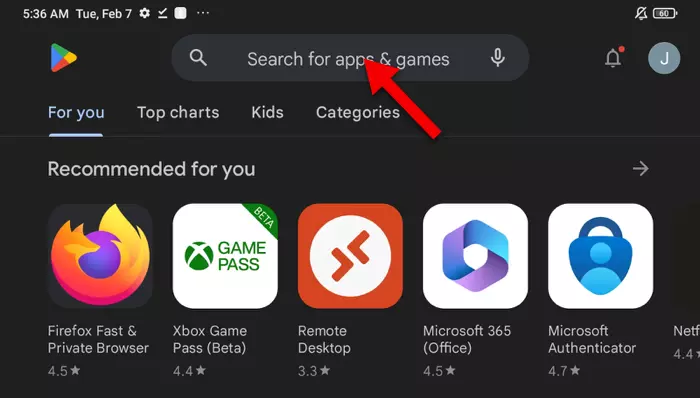
1-Open Google Play Store and tap on search field.
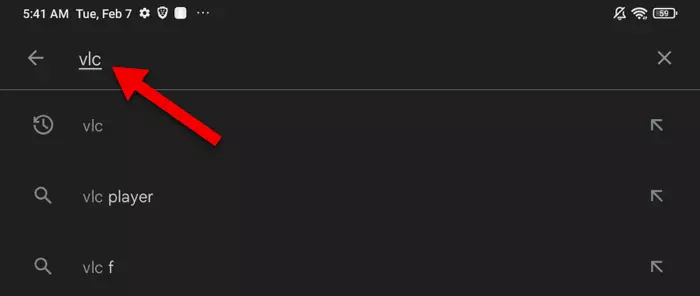
2-Type VLC, you can click on any of those recommendation for VLC Player.
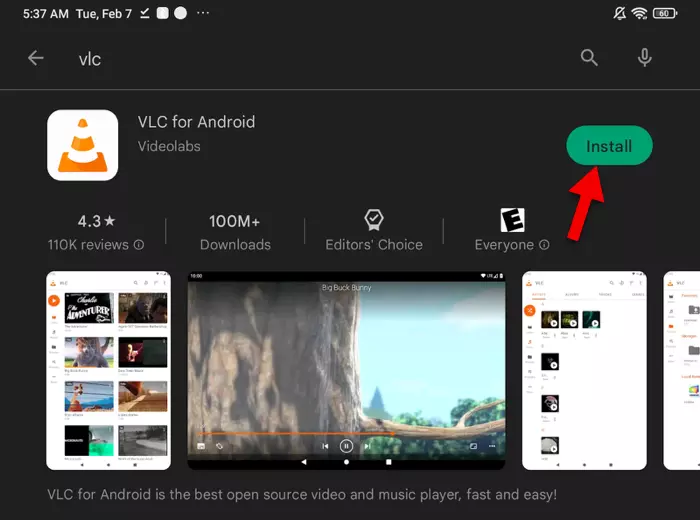
3-Install the app.
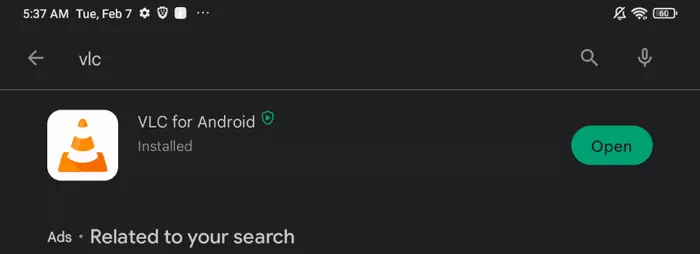
4-VLC is installed. Our job here is done. No need to open the app.
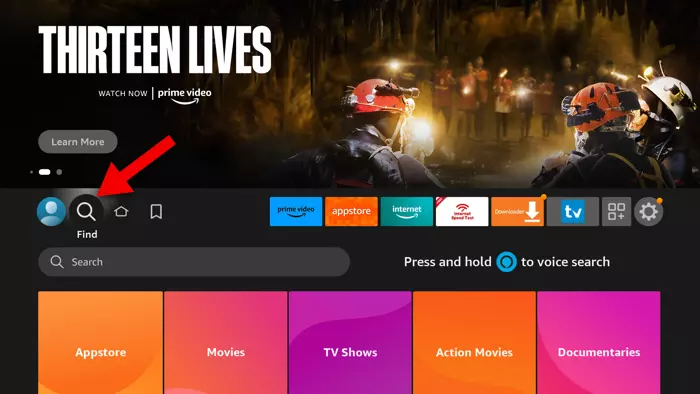
1-From the dashboard, move to Find and then click downward arrow on the remote to bring up the search page.
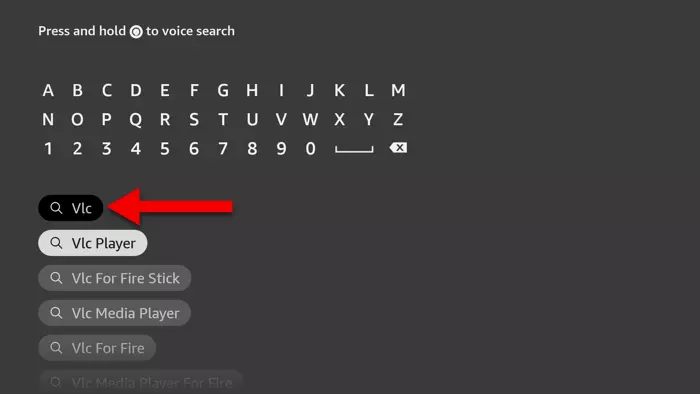
2-Type VLC, VLC Player will appear as a suggestion so simply click on it.
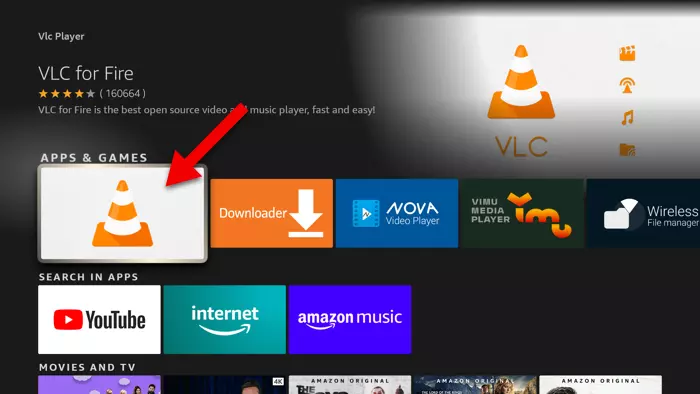
3-Click on the app icon to start the installation process.
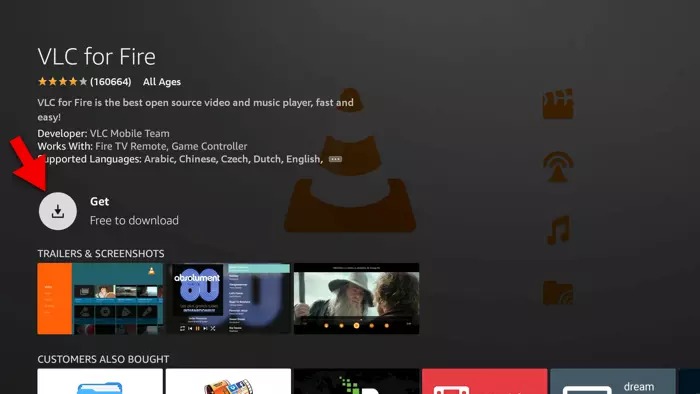
4-Click on Get to start the downloading process.
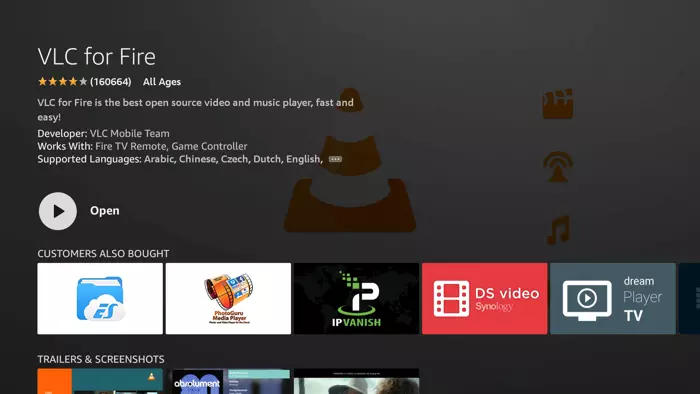
5-App is installed, you can click back and exit this page. No need to open the app here.

1-From the app dashboard, click on the Gear icon.
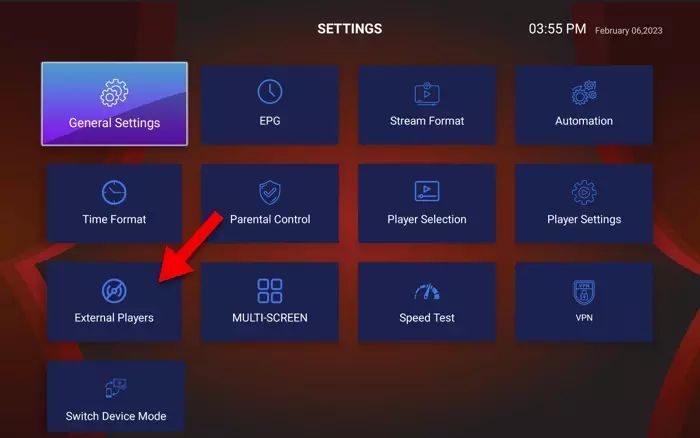
2-Open External Players.
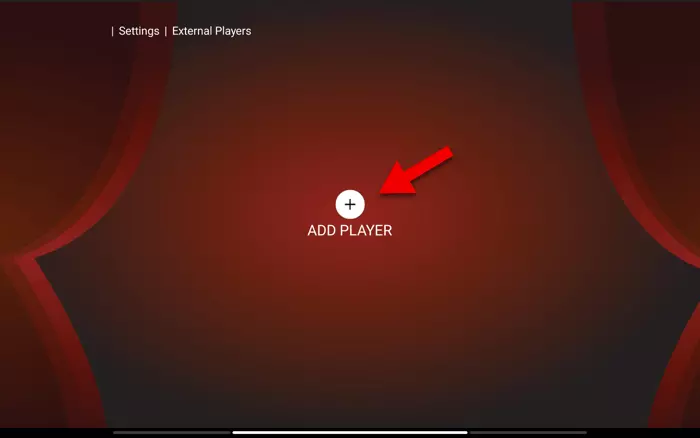
3-Add Player.
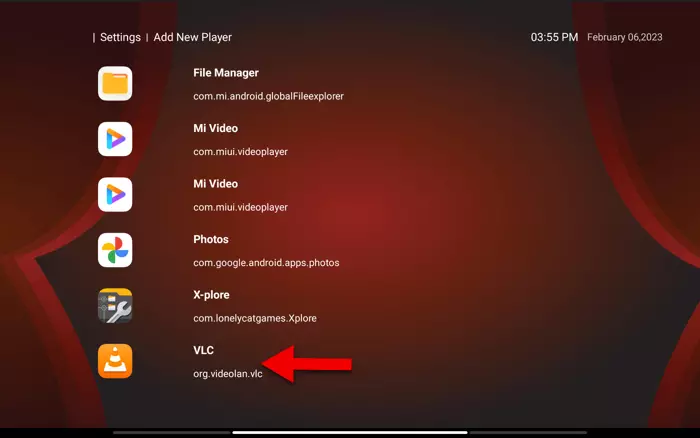
4-Pick the player of your choice, in our case it’s VLC. Remember, it has to be a media player, for instance if I now click on Photos, it wont work.
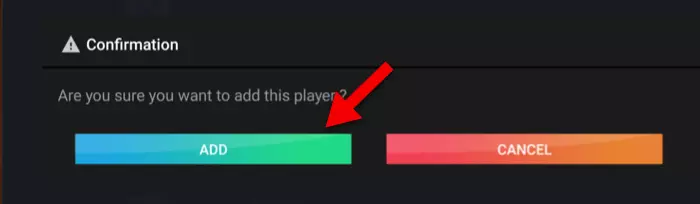
5-Confirm the process by clicking ADD.
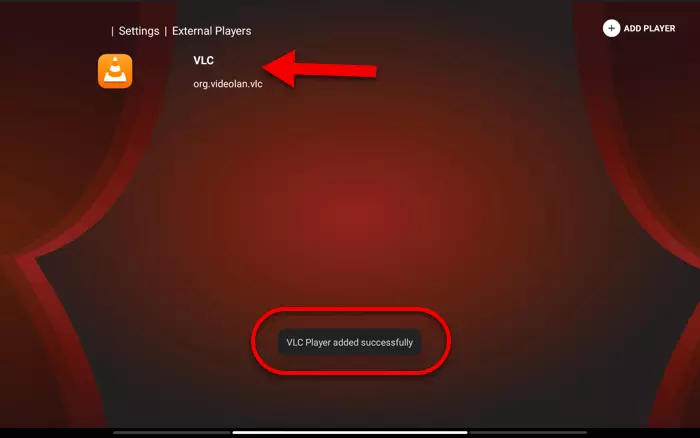
6-VLC Player added successfully. Now go back one step.
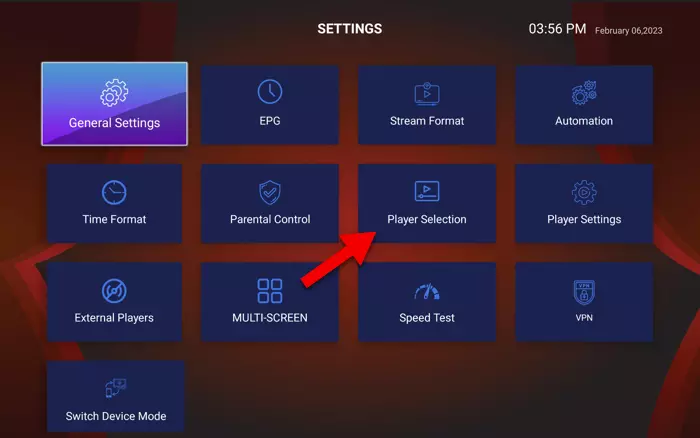
7-Open Player Selection.
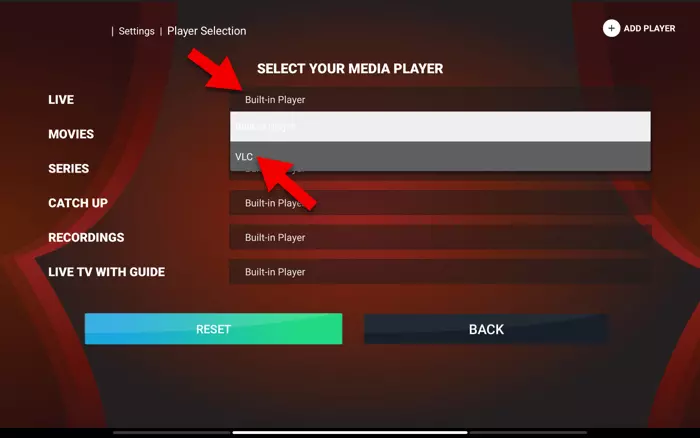
8-The good thing about Pro Stream TV app is that you can tune media player engine for each part separately. For instance you can tweak the engine for TV Series while Movies and Live TV use Built-in player. I want to change the normal Live TV so I click where it says “Built-IN” in front of LIVE. The drop down menu appears then I can select VLC which previously installed and introduced to Pro Stream TV app as an external player.
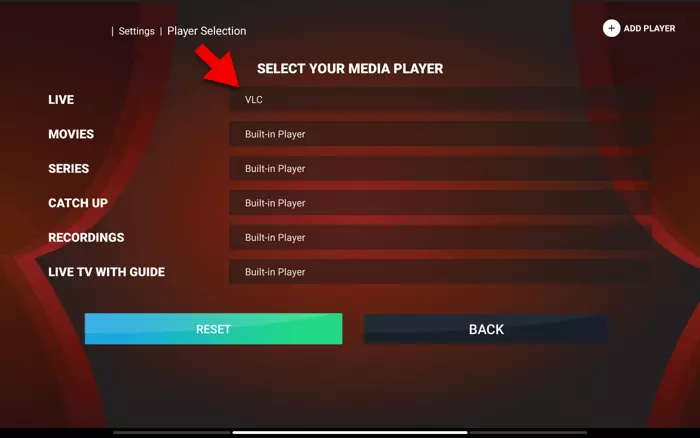
9-VLC is now set as the desired default Media Player Engine for Live TV. You can now go back to the dashboard of the app and player your Live TV content which is now streamed through VLC Player in the background.
Our app offers HD Premium and Live Channels from around the world, fast streaming, excellent customer support, delivering an outstanding entertainment experience for viewers worldwide.
Stay in touch! Subscribe to our newsletter